 | |  | |  | |  | |  | |  |
 | |  | |  | |  | |  | |  | |  |
| Welcome To The Home Of Knowledge Financial Group, BUYHEREMARKET.COM The Fortune Creator Site, Where You Can Learn What You Want, When You Want It. ==== |
 | |  | |  | |  | |  |
 |
| |
 |
| |
 |
| |
 |
| |
 |
| |
 |
| |
 |
| |
 |
| |
 |
| |
 |
| |
 |
| |
 |
| |
 |
| |
 |
| |
 |
| |
 |
| |
 |
| |
 |
| |
 |
| |
 |
| We Inspire, Educate, Inform, Motivate And Lead... “We're The True Teachers Because, True Teachers are those who use themselves as bridges over which they invite their students to cross; then, by facilitating a joyful crossing with encouragement and then to create their own bridges to help others cross.” Anthony Jeanty! ====== |
| Tax Seminars - Tax Webinar - Tax Training Become a Successful Tax Professional The most complete, most up-to-date online tax course available! This highly acclaimed tax course has taught thousands of people how to become successful tax professionals, specialists in preparing individual and small business tax returns.. ====== |
| Maximize Your Income-Earning Potential! Upon successful completion of our tax course, you will have the knowledge and confidence to prepare Individual and small business tax returns for clients anywhere. ======= IRS rules require that Tax Preparers, who prepare returns for pay, register with the IRS and obtain a preparer tax identification number (PTIN). Preparer tax identification number (PTIN) applications and renewals for 2015-2016 and on. |
| Anyone who prepares or assists in preparing federal tax returns for compensation must have a valid 2016 PTIN before preparing returns. All enrolled agents must also have a PTIN. |
| Prefer to apply or renew by paper? It only takes about 15 minutes to apply for or renew your PTIN online. But if you prefer to use the paper option, Form W-12, IRS Paid Preparer Tax Identification Number (PTIN) Application, it will take 4-6 weeks to process. PTIN Requirements For Tax Return Preparers... |
| ==== Be well prepared to represent clients on any matters including audits, payment/collection issues, and appeals, amendments etc. ===== Information for IRS e-file Providers== Become an Authorized e-file Provider Save money, increase your productivity and build your business, while providing a service the majority of taxpayers now expect. ===== '''List f == all IRS- approved CE providers=== |
Authorized IRS e-file Provider. It will be good for your customers and good for your
business.
Step 1: Create an IRS e-services Account
Step 2: Submit Your Application
Step 3: Pass a Suitability Check
========
business.
Step 1: Create an IRS e-services Account
Step 2: Submit Your Application
Step 3: Pass a Suitability Check
========
| '' Become an Authorized e-file Provider== Join our partnership and save money, increase your productivity and build your business, while providing a service the majority of taxpayers now expect. ====== |
| All other individuals need to provide fingerprints to the IRS. You can get a fingerprint card by calling 866-255-0654 FREE FREE Be fingerprinted by a trained professional - your local police station will likely provide this service for a modest fee or there are commercial services. Then mail the signed and completed card to the IRS at: Attn: EFU acceptance STOP 983 310 Lowell St Andover, MA 05501-0001 Your application is complete. It is our job at the IRS to finish the e-file authorization process for you. |
| Become an Authorized e-file Provider Step 1: Create an IRS e-services Account Step 2: Submit Your Application Step 3: Pass a Suitability Check======= Step 1: Create an IRS e-services Account Before you begin the online e-file application, you must have an IRS e-services account, which facilitates electronic interaction with the IRS. When you apply for an e-services account, you will need to: |
Provide your legal name, Social Security Number (SSN), birth date, phone number, e-mail address and your home mailing address (confirmation of your account will be mailed to you); Provide your Adjusted Gross Income from the current or prior tax year; Create a username, a password and a PIN and provide an answer to a reminder question for your username; Make sure that every principal and responsible official in your firm signs up for e-services; and Return to e-services to confirm your registration within 28 days of receiving your confirmation code in the mail. You can find definitions of a principal and a responsible official in IRS Publication 3112, IRS e-file Application and Participation. The verification and approval process for creating an account with IRS e-services can take several days, so plan accordingly. ===== Step 2: Submit Your Application to Become an Authorized IRS e-file Provider Once essential people are approved for e-services, your firm can begin the application to become an authorized e-file provider. The application process is not simple, but as a tax professional, you understand these steps are necessary to protect the integrity and security of the electronic filing system. We all have a stake in maintaining the highest standards for e-file providers. Because the application is so comprehensive, it is designed so that you can save your data from a session, close out and return to it when convenient. Another caution about time: It can take up to 45 days for the IRS to approve an e-file application. So please plan accordingly and allow enough time. Several important things to note: First, you will supply identification information for your firm Next, you will enter information about each Principal and Responsible Official in your organization You choose your e-file provider option. If you are a return preparer and want to e-file for clients, select electronic return originator, or ERO. If the Principal or Responsible Official is someone who is certified or licensed, such as an attorney, CPA or enrolled agent, they must enter current professional status information All other individuals need to provide fingerprints to the IRS. You can get a fingerprint card by calling 866-255-0654 FREE FREE Be fingerprinted by a trained professional - your local police station will likely provide this service for a modest fee or there are commercial services. Then mail the signed and completed card to the IRS at: Attn: EFU acceptance STOP 983 310 Lowell St Andover, MA 05501-0001 Your application is complete. ======= Step 3: Pass a Suitability Check After you submit your application and related documents, the IRS will conduct a suitability check on the firm and each person listed on your application as either a principal or responsible official. This may include: a credit check; a tax compliance check; a criminal background check; and a check for prior non-compliance with IRS e-file requirements. Once approved, you will get an acceptance letter from the IRS with your Electronic Filing Identification Number (EFIN).======= |
| ====== ''Credits & Deductions'' There are a variety of credits and deductions for individual and business taxpayers. The Earned Income Tax Credit and the Child and Dependent Care Credit help millions of families every year. There are also a number of credits for small and large businesses. You may have taken deductions when you prepared your annual tax return. In addition to the standard deduction for individuals, common deductions include home mortgage interest, state and local tax, and charitable contributions. Many business expenses are deductible as well. ======== Taxpayer Identification Numbers (TIN) ''Taxpayer Identification Numbers'' Social Security Number "SSN" Employer Identification Number "EIN" Individual Taxpayer Identification Number "ITIN" Taxpayer Identification Number for Pending U.S. Adoptions "ATIN" Preparer Taxpayer Identification Number "PTIN" Note: The temporary IRS Numbers previously assigned are no longer valid. ===== PTIN Requirements for Tax Return Preparers...Preparer tax identification number (PTIN ====== Don't have a PTIN and need to obtain one? Most first-time PTIN applicants can obtain a PTIN online in about 15 minutes. ====== IRS Tax Professional PTIN System The online system allows you to sign-up and renew your Preparer Tax Identification Number (PTIN), keep your account information current, view your continuing education credits, and receive communications from the IRS Return Preparer Office. ====== Professional tax preparers must obtain from the Internal Revenue Service a tax preparer identification number, or PTIN, and renew it each year. ===== ''How do I sign up for a new PTIN? For more information, watch the following videos: Create an Account & Apply for a PTIN – Part 1 Create an Account & Apply for a PTIN – Part 2 Answer: First you must create an account. Go to the online PTIN system and click on “New User.” Follow the prompts to complete the account setup process and obtain a temporary password. Then use your User ID and temporary password to login to the system. Your User ID is the email address you used when you created your account. You will be prompted to change your password upon logging in for the first time. Once logged in, if you have a social security number, you must select: “Sign Up with SSN.” Follow the prompts to apply, pay the $64.25 fee, and obtain a PTIN== ======= How do I renew my PTIN? Answer: First, login to your online PTIN account. For help, see: How do I access my online PTIN account? On the Main Menu, next to “PTIN Renewal”, click on “Select” and then follow the prompts to complete your renewal online. If you do not have an online PTIN account, you can create one by clicking “New User” on the PTIN system login page.========.==========h |


| ''Apply for an Employer Identification Number (EIN) Online''== ==== Form SS-4! We ask you the questions and you give us the answers. After all validations are done you will get your EIN immediately upon completion. You can then download, save, and print your EIN confirmation notice. Purpose of an Employer Identification Number Employer Identification Numbers are issued for the purpose of tax administration and are not intended for participation in any other activities ... ====== IRS=Small Business and Self-Employed Quetions And Answers =Tax Center ======= Filing Your Taxes... IRS INFORMATION.. Did You Know? You can get a transcript online or by mail to view your tax account transactions |

 | |  | |  | |  | |  | |  | |  | |  |



| ''Tax Strategies For IndIviduals, Investors, Professionals, And Landlords. // ''Ways to Save. ''Tax Changes And Tax Credit for This Year: A Great Checklist... ''HOW TO REDUCE YOUR TAXES TO GET MAXIMUM RETURN FROM THE I.R.S.? ''Most-Overlooked Tax Deductions. Income Taxes // Tax Info / /. Tax Saving // Tax Fundamental // Tax Help & Documents'// ''FREE TAX E-FILE, And everyone can e-file Individual tax returns for free / Tax Education''/ '' TAX BRACKET, FIND YOUR TAX BRACKET RIGHT HERE..! '' Tax Certificates - // Tax Liens - // Tax Resale Properties. - // Free Online Tax Filing // |
 |
| |
 |
| |
 |
| |
 |
| |
 |
| |
 |
| |
 |
| |
 |
| |
 |
| |
 |
| |
 |
| |
 |
| |
 |
| |
 |
| |
 |
| |
 |
| |
 |
| |
 |
| |
 |
| |
 |
| |
 |
| |
 |
| |
 |
| |
 |
| |
 |
| |
 |
| |
 |
| |
 |
| |
 |
| |
 |
| |
 |
| |
 |
| |
 |
| Start your own business EASY & SIMPLE, be your own boss, make extra money, secure your financial future, obtain financial freedom. LEARN MORE! CLICK HERE.. |
| ''GET MORE:'' EARNED INCOME , ''OBTAIN MORE' PASSIVE INCOME, ''CREATE'' PORTFOLIO INCOME, 'HOLD MORE''RESIDUAL INCOME.' |

''How Can You Safely Earn 10%
to 36% Per Year On Your
Investments'?
''Tax Lien Certificates, Tax
Deed, Tax Resale Property,
Real Estate At Financial
Academy School.'
''Guarantee profits 10 to 36%
This investments pay fix rates
guarantee no
matter what!!! ''This investment
is secured by Real Estate; And
guarantee by the
government.''
''How to Investing in
Government Issued Tax Lien
Certificates''
''Tax liens certificates investing
guide: Find The States, Find
The Counties, Find The
Websites.''
''Tax Deeds : The Guaranteed
Solution to Your Financial
Freedom''-
''How to quickly and safely
create a consistent and steady
monthly cash flow''
''Find Tax Deed States And Tax
Lien States And The Counties
RIGHT HERE - RIGHT NOW. ALL
THE INFORMATION YOU NEED.
to 36% Per Year On Your
Investments'?
''Tax Lien Certificates, Tax
Deed, Tax Resale Property,
Real Estate At Financial
Academy School.'
''Guarantee profits 10 to 36%
This investments pay fix rates
guarantee no
matter what!!! ''This investment
is secured by Real Estate; And
guarantee by the
government.''
''How to Investing in
Government Issued Tax Lien
Certificates''
''Tax liens certificates investing
guide: Find The States, Find
The Counties, Find The
Websites.''
''Tax Deeds : The Guaranteed
Solution to Your Financial
Freedom''-
''How to quickly and safely
create a consistent and steady
monthly cash flow''
''Find Tax Deed States And Tax
Lien States And The Counties
RIGHT HERE - RIGHT NOW. ALL
THE INFORMATION YOU NEED.


| Tax Saving Tips for Everyone // Tax Saving Tips for Students Tax Saving Tips for Families // Tax Saving Tips For Business Tax Preparation Checklist // Tax Credits and Deductions FREE TAX COMPLETION.. FILE YOUR TAX FREE |

'' Youtube.com/financialschool
'' Youtube.com/visionairebiz
''
Youtude.com/knowledgefinancial
''
Youtube.com/moneymakingnetwo
rk
'' Youtube.com/buyheremarket
'' Youtube.com/visionairebiz
''
Youtude.com/knowledgefinancial
''
Youtube.com/moneymakingnetwo
rk
'' Youtube.com/buyheremarket
| '' REAL ESTATE INVESTMENT SEMINAR: Many people usually ask “Is real estate a good investment?” The most important question is: Are you a good real estate investor?” === '' Investment Seminars: – Trading Seminar ... Webinar Training Videos... How To Invest - Where To Invest - When To Invest - What To Invest In??? === '' Insurance Training Course, Free Training Free seminars and classes are specifically for insurance professionals Free License.. ==== '' Tax Seminars - Tax Webinar - Tax Training.. Become a Successful Tax Professional.. The most complete, most up-to-date online tax course available! |

| About Electronic Filing ID Numbers (EFIN) '' What is an Electronic Filing Identification Number (EFIN)? We assign an EFIN to identify firms that have completed the IRS e-file Application to become an Authorized IRS e-file Provider. After the provider completes the application and passes a suitability check, we send an acceptance letter, including the EFIN, to the provider. Providers need the EFIN to electronically file tax returns. |
'' Small Business and Self-Employed Tax
Center =
SB/SE serves taxpayers who file Form
1040, Schedules C, E, F or Form 2106, as
well as small businesses with assets
under $10 million.
A-Z Index for Business
Find it Fast! Know what you're looking for
and want to find it fast? Select business
topics using our A-Z listing, or by
business type such as sole proprietor,
corporation, etc. We also provide links to
major business subjects, such as
Business Expenses, which provides a
gateway to all related information on that
subject.
Center =
SB/SE serves taxpayers who file Form
1040, Schedules C, E, F or Form 2106, as
well as small businesses with assets
under $10 million.
A-Z Index for Business
Find it Fast! Know what you're looking for
and want to find it fast? Select business
topics using our A-Z listing, or by
business type such as sole proprietor,
corporation, etc. We also provide links to
major business subjects, such as
Business Expenses, which provides a
gateway to all related information on that
subject.
'' Income Tax Course = Learn
taxes the proper way.
Convenient and Flexible
Classes are held at neighborhood
offices and meet at a variety of
times.
•Skilled Instructors
Learn from experienced Tax
Professionals, the best in the
business.
•Unique Approach
Course includes both classroom
instruction and web-based
learning and activities
taxes the proper way.
Convenient and Flexible
Classes are held at neighborhood
offices and meet at a variety of
times.
•Skilled Instructors
Learn from experienced Tax
Professionals, the best in the
business.
•Unique Approach
Course includes both classroom
instruction and web-based
learning and activities
Make an appointment
We're in the neighborhood. Find the shortest distance to the
biggest refunds.
We're in the neighborhood. Find the shortest distance to the
biggest refunds.
Free Tax Return Review
Let our tax pros review your tax return. We find deductions
others miss. You could get money back.
Let our tax pros review your tax return. We find deductions
others miss. You could get money back.
Accuracy Guaranteed - Biggest Refund Guaranteed
Whether you're a first time filer with a basic tax return or
you have a complex tax situation, we have a tax solution
to fit your needs.
Whether you're a first time filer with a basic tax return or
you have a complex tax situation, we have a tax solution
to fit your needs.

We go to great lengths to train and hire qualified tax
preparers.
New to the tax preparation industry?
Tax Preparation Course, our experienced instructors teach
you to work through sample problems and learn to complete
tax forms and schedules on your own
preparers.
New to the tax preparation industry?
Tax Preparation Course, our experienced instructors teach
you to work through sample problems and learn to complete
tax forms and schedules on your own
| SOUTH FLORIDA, FOR ANY QUESTIONS REGARDING: LIFE INSURANCE POLICY, REAL ESTATE BUYING, SELLING, AND INVESTING; CONTACT ANTHONY JEANTY, YOUR NEIGHBORHOOD AGENT AT: 786-631-7740 = DISREGARD ALL OTHER # NUMBERS IN THIS SITE. YOUR ONLY NUMBER IS: 786-631-7740 == |

| '' Foreign Account Tax Compliance Act / FATCA .. The provisions commonly known as the Foreign Account Tax Compliance Act (FATCA) became law in March 2010. Information you need to know about... |



 |
 |
 |
 |
 |
 |
 |
 |
 |
 |
 |
 |
 |
 |
 |
 |
 |
 |
 |
 |
 |
 |
 |
 |
 |
 |
 |
 |
 |
 |
 |
 |
 |
 |
 |
 |
 |
 |
 |
 |
 |
 |
 |
 |
 |
 |
 |
 |
 |
 |
 |



Get your maximum refund, guaranteed. It's never been
easier, or faster, to get your taxes done right.
Tax Center - Tax Information Center -
We're standing by our work... Get answers when you get
questions..talk to us..
easier, or faster, to get your taxes done right.
Tax Center - Tax Information Center -
We're standing by our work... Get answers when you get
questions..talk to us..
IRS TAX REFUNDS:
Where's My Refund? - It's Quick, Easy and
Secure.
What you need to check the status of your
refund: '' Check The Status Of Your Refund
Here...
Where's My Refund? - It's Quick, Easy and
Secure.
What you need to check the status of your
refund: '' Check The Status Of Your Refund
Here...
| Take a Deep Breath - Keep Calm - Read On & Read More To Learn More.. Knowledge Financial Group Has Excellent , Gorgeous & Exceptional Information For you!! = KNOWLEDGE FINANCIAL GROUP --------- Always, You Are Welcome To The Home Of Knowledge Financial Group - BUYHEREMARKETBLOGSPOT.COM - The Fortune Creator Site, Where You Can Learn What You Want, When You Want It, Anytime You want. Thank You So Very Much For Visiting - Knowledgefinancialgroup.com / Visit Us Again For Our Daily & Weekly Updates... KNOWLEDGEFINANCIALGROUP.COM ------- Find what you need in our growing web library. // Learn what you want, when you want.. ------- Guess What? The best knowledge starts here at knowledge financial group - BUYHEREMARKETBLOGSPOT.COM ------------- KNOWLEDGE FINANCIAL GROUP UNDERSTANDS THAT KNOWLEDGE IS POWER... THAT'S WHY WE EXIST WITH A MULTIPLE PURPOSE WEBSITE, WHERE PEOPLE CAN LEARN PRETTY MUCH EVERYTHING. WHAT THEY WANT, WHEN THEY WANT IT. --= KNOWLEDGEFINANCIALGROUP.COM |

| ‘’Financial Group /-/ Resource Center /–/ Knowledge Center /–/ Financial Service /– / Personal Finance /–/ Wealth Management /–/ Financial Planning /–/ /-/ Investing Tips /– / Wall Street Market /–/ Investment Help & Options /- / Market Advice /-/ Real Estate /-/ Insurance /-/ Millionaire /-/ Portfolio /-/ Investment Conference / - / |
| BUYHEREMARKET.BLOGSPOT.COM |
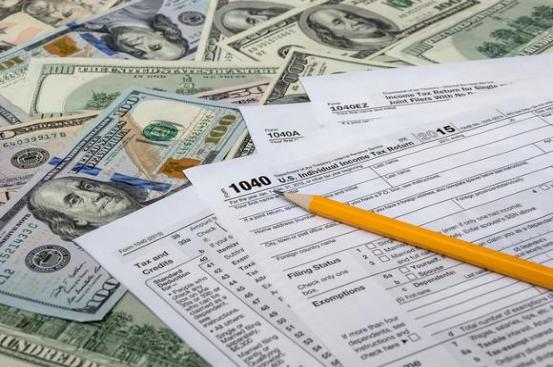
| What Are the 2019 Tax Brackets? The IRS has announced its inflation-adjusted tax brackets for the 2019 tax year, and as you might expect, all of the income thresholds have increased a bit from 2018. Here's a guide to the 2019 U.S. tax brackets and how they are used to calculate your income tax. To be perfectly clear, these are the tax brackets for the 2019 tax year, which is the tax return you'll file in 2020. If you're looking for the tax brackets that you'll use when filing your tax return in 2019, you'll need to check out a guide to the 2018 tax brackets. U.S. tax forms on top of hundred-dollar bills. Since the Tax Cuts and Jobs Act's major tax-bracket overhaul went into effect for the 2018 tax year, there aren't any structural changes for 2019. There are still seven tax brackets, and the seven marginal tax rates -- 10%, 12%, 22%, 24%, 32%, 35%, and 37% -- remain unchanged. However, the income ranges for each bracket have been adjusted for inflation. So with that in mind, here's a guide to the 2019 tax brackets for the four major tax filing statuses: Data Source: IRS. What is taxable income? The tax brackets in the previous section are applied to your taxable income, so here's a quick explanation of where this number comes from. First, your income from all sources is added together. This is known as your gross income. Next, certain adjustments to your gross income can be applied. Available adjustments to income for 2018 and 2019 include contributions to qualified retirement accounts, up to $2,500 in student loan interest, and educator classroom expenses up to $250, to name a few of the most common. This produces your adjusted gross income, or AGI. From your AGI, your applicable tax deductions are applied to calculate your taxable income. Taxpayers can either use the standard deduction or itemize their deductible expenses for the year -- whichever is more beneficial to them. This taxable income figure that is left after accounting for deductions is the number that is applied to the tax brackets. Finally, it's also worth mentioning that a few types of income, particularly qualified dividends and long-term capital gains, are taxed according to different rates. How the marginal tax bracket system works Fortunately, you're not likely to ever have to calculate your federal income tax by hand. The vast majority of Americans use electronic methods of filing that calculate their tax for them, and even if you're among the relative few who still file a paper tax return, the IRS provides tax tables that make determining your tax easier. Having said that, in case you were wondering how our tax system works, the IRS uses marginal tax brackets when determining the amount of tax you owe. Here's how this works. Let's say that you're single and have taxable income of $100,000 in 2019. According to the chart, this puts you in the 24% bracket. However, you won't pay 24% of your entire taxable income. Each marginal tax rate applies only to income within that range. In other words, on $100,000 in taxable income, a single taxpayer would pay: 10% of the first $9,700 ($970) 12% of the amount greater than $9,700 up to $39,475 ($3,573) 22% of the amount greater than $39,475, up to $84,200 ($9,839.50) 24% of the amount in excess of $84,200 ($3,972) If you add up all of the numbers in parentheses, you'll see that this hypothetical taxpayer would owe federal income tax of $18,174.50 for 2019. This translates to about 18% of their taxable income -- not the 24% marginal tax rate. How the U.S. tax brackets will change in 2020 and beyond Unless a major overhaul of the U.S. tax code is passed, like in late 2017, the marginal tax rates don't change from year to year. In other words, unless a new tax law is passed, you'll still have seven tax brackets in 2020, with rates ranging from 10% to 37%, as you see in the table. However, the income ranges within the tax brackets are adjusted annually to keep up with inflation. For example, the 37% tax bracket will kick in at approximately the same level of purchasing power each year. |
| What Are the 2019 Tax Brackets? The IRS has announced its inflation-adjusted tax brackets for the 2019 tax year |
Personal Finance: Where are the safe places to put your money in time of financial crises, economic turmoil?
---------------
Finance: Fixed Income Security Investment: Types Of Fixed Income Investments..
---------------
Preferred Stocks vs. Common Stocks. = // Types of Preferred Stocks... Why Do Companies Issue
Preferred Stock? = LEARN MORE HERE...
--------------
How the Fed Keeps Track of Our Money Supply? // INVESTMENT'S SECRETS REVEALED, THE
ABC's OF INVESTMENTS...
--------------
Femkonsa Capital: Best Index Funds vs Best ETF"s = Exchange Traded Funds.
LEARN MORE HERE...
-------------------
Millionaire Portfolio: Passive Income - Residual Income - Earned Income - Portfolio Income. HERE ARE
MUCH MORE... = Research & Learning -/
-----------------
Dividend Stocks: List Of Dividend Paying Companies. Quarterly monthly cash-flow = Return On Investment...
LEARN MUCH MORE HERE...
-----------------
Knowledge Center: 101 Ways to Make Money Online We often recommend earning some extra income on the
side .
---------------
Entrepreneur: Business Ideas And Opportunities.
---------------
Economic: Different Types Of Market To Invest in...
--------------
Freeknowledge: Things to Know About Government Bonds & Municipal Bonds...
-------------
Resource Center: Different ways to protect your money…
What to do when we have a market panic, or economic uncertainty...
Last Will And Testament...
What Not to Include When Making a Will...
Ways to Avoid Probate... LEARN MORE HERE...
---------------
Finance: Fixed Income Security Investment: Types Of Fixed Income Investments..
---------------
Preferred Stocks vs. Common Stocks. = // Types of Preferred Stocks... Why Do Companies Issue
Preferred Stock? = LEARN MORE HERE...
--------------
How the Fed Keeps Track of Our Money Supply? // INVESTMENT'S SECRETS REVEALED, THE
ABC's OF INVESTMENTS...
--------------
Femkonsa Capital: Best Index Funds vs Best ETF"s = Exchange Traded Funds.
LEARN MORE HERE...
-------------------
Millionaire Portfolio: Passive Income - Residual Income - Earned Income - Portfolio Income. HERE ARE
MUCH MORE... = Research & Learning -/
-----------------
Dividend Stocks: List Of Dividend Paying Companies. Quarterly monthly cash-flow = Return On Investment...
LEARN MUCH MORE HERE...
-----------------
Knowledge Center: 101 Ways to Make Money Online We often recommend earning some extra income on the
side .
---------------
Entrepreneur: Business Ideas And Opportunities.
---------------
Economic: Different Types Of Market To Invest in...
--------------
Freeknowledge: Things to Know About Government Bonds & Municipal Bonds...
-------------
Resource Center: Different ways to protect your money…
What to do when we have a market panic, or economic uncertainty...
Last Will And Testament...
What Not to Include When Making a Will...
Ways to Avoid Probate... LEARN MORE HERE...

// Self Directed IRA // Retirement Planning // Rollover Account // Social Security // Life Insurance // IRA/Roth IRA = //
Self-Directed IRA = // // Estate Planning // Annuity // Trust Account // Pension Plan // Living Trust // Financial Planning //
- Personal Finance // = Affirmative Action - // - Terminsurance // = Custodial Account - // Inurancequote = //
Self-Directed IRA = // // Estate Planning // Annuity // Trust Account // Pension Plan // Living Trust // Financial Planning //
- Personal Finance // = Affirmative Action - // - Terminsurance // = Custodial Account - // Inurancequote = //







'' ' ''Real Estate Investing: Here are more than 15 ways to start investing in real estate to make money...''
------------------
'' Investment Properties Knowledge And Useful Information... Everything To Know About Rental Property For Monthly Cash-flow From A To Z. ...
LEARN MORE...
-----------
''Types of Property Ownership: There are a variety of forms of ownership of
property people need to know about...
---------
''Find 55+ Communities and Senior Living. Affordable Retirement
Communities. Resort Properties For Seniors...
-------------------
''How to Make Money in Real Estate? Types of Real Estate to Invest in... Real Estate Invesing, Active vs Passive??
------------------
'' Ways To Invest In Real Estate Without Buying Property... How to Better Investing in Real Estate With No MORTGAGE?
-------------------
How to Make Money in Real Estate: 10 basic Ways ...
There are many ways to make money in real estate / Investors can realize attractive
returns from multiple income streams in real estate investments'''
-----------------------------
'' Ways to Value a Real Estate Rental Property
Determining the cost of and the return on an investment property are just as important as figuring out its value.''
---------------
'' Income Property - Everything People Need To Know About Rental Property. What are the
best ways to make money in real estate? LEARN MORE..
------------
'' Types of Property Ownership...
There are a variety of forms of ownership of property.----
'' How to Invest In Real Estate without Having to Buy Houses?
-----------
'' Home Warranties, Why Many People Need Them?
Owning a home is a pricey endeavor. It requires attention and upkeep simply because things get old a need to be
replaced...
----------------
'' How to invest and Make Money in Real Estate?…
''Making Money On These Major Types of Properties''
There are many different property types that you can use to make money...
--------------
''General Knowledge For Investing in Commercial Real Estate:
''cash for today or wealth for tomorrow?-
'' Residential Vs. Commercial'' LEARN MORE...
--------------
'' How To Make Money In Real Estate When Buying Investments
It’s often said “You make your money when you buy.” There are many
different strategies you can use to ensure profitability... LEARN MORE''
-----------------
'' How To Make Money In These Real Estate Related Careers...
You don’t need to invest in real estate to begin making money from
it...''LEARN MORE...
--------------
'' Invest In Real Estate With less than $1,000 To Start With. Get Your
Fair Share. Easy And Simple To Build Your Portfolio / Real Estate
Investment Trust Can Help..
| What Is the 1040 and What’s the Difference Between the 1040, 1040A and 1040EZ? Tax time can be stressful, and for many, the headaches start with trying to figure out which forms to use. Thankfully, since the 2018 tax year, all tax forms have been consolidated into one redesigned 1040 form. Unlike previous years, when taxpayers used multiple forms — such as the 1040EZ and 1040A, depending on their income or deductions claimed — filers will now simply fill out additional schedules on top of the 1040 form... . |
| What Is a 1040-SR Form? The 1040-SR is a version of the 1040 for taxpayers age 65 or older that’s easier to read. Although you won’t notice any difference if you file your return electronically, you will see the larger type and slightly altered formatting if you print out the form. The form is otherwise the same as the 1040, and it uses the same schedules and instructions as the 1040. How To Get a 1040 or 1040-SR Form You can access and download a blank version of a 1040 via IRS.gov. The 1040-SR is also available on the IRS website. In addition, the site includes instructions for filling out the forms. You might also be able to get 1040/1040-SR forms from: |
Form 1040
Previously, 1040s were mandatory if you were self-employed, itemized your deductions, owed household employment tax or had
$100,000 or more in taxable income. Now, it’s the standard form everyone will use.
Form 1040A
Form 1040A allowed you to claim certain adjustments not available using Form 1040EZ. For example, Form 1040A was used to file
as head of household, which is more advantageous than a filing status of single because it comes with a lower tax rate and a
higher standard deduction.
You could also claim dependents and take tax credits for child and dependent care, retirement savings, earned income, premium
tax and education using Form 1040A. Now, that’s done on the new Form 1040.
Previously, 1040s were mandatory if you were self-employed, itemized your deductions, owed household employment tax or had
$100,000 or more in taxable income. Now, it’s the standard form everyone will use.
Form 1040A
Form 1040A allowed you to claim certain adjustments not available using Form 1040EZ. For example, Form 1040A was used to file
as head of household, which is more advantageous than a filing status of single because it comes with a lower tax rate and a
higher standard deduction.
You could also claim dependents and take tax credits for child and dependent care, retirement savings, earned income, premium
tax and education using Form 1040A. Now, that’s done on the new Form 1040.
As with Form 1040EZ, Form 1040A only applied to you if your taxable income was less than $100,000. Other income requirements
for Form 1040A differ from 1040EZ in that they allowed you to include a broader category of income.
In addition to wages, salary and tips, for example, your income could’ve also included dividends, pensions, annuities, IRAs and
capital gains distributions. These claims are also folded into the new Form 1040.
for Form 1040A differ from 1040EZ in that they allowed you to include a broader category of income.
In addition to wages, salary and tips, for example, your income could’ve also included dividends, pensions, annuities, IRAs and
capital gains distributions. These claims are also folded into the new Form 1040.
Form 1040EZ was considered the easiest federal income tax form to complete, but it also had
the most conditions and restrictions on its use. Here’s a checklist the IRS used to determine qualifying use of Form 1040EZ:
You file your income tax return with a status of single or married filing jointly.
Your taxable income is $100,000 or less.
All of your taxable income comes from wages, salary, tips, interest income amounting to less than $1,500, taxable scholarship and
fellowship grants, unemployment compensation or Alaska Permanent Fund dividends.
On the last day of the tax year, you were under age 65 and you were not blind (this also applies to your spouse if you file jointly).
You aren’t required to pay household employment tax on household employees’ wages.
You didn’t become a Chapter 11 bankruptcy debtor.
Premium tax credits weren’t paid on your behalf or on behalf of your spouse, or on any individual, you enrolled in coverage for
whom no one else is claiming the personal exemption.
the most conditions and restrictions on its use. Here’s a checklist the IRS used to determine qualifying use of Form 1040EZ:
You file your income tax return with a status of single or married filing jointly.
Your taxable income is $100,000 or less.
All of your taxable income comes from wages, salary, tips, interest income amounting to less than $1,500, taxable scholarship and
fellowship grants, unemployment compensation or Alaska Permanent Fund dividends.
On the last day of the tax year, you were under age 65 and you were not blind (this also applies to your spouse if you file jointly).
You aren’t required to pay household employment tax on household employees’ wages.
You didn’t become a Chapter 11 bankruptcy debtor.
Premium tax credits weren’t paid on your behalf or on behalf of your spouse, or on any individual, you enrolled in coverage for
whom no one else is claiming the personal exemption.
| Which 1040 Form To Use for Your Taxes Thankfully, now that the IRS has consolidated the 1040 form, you need only one to use for your taxes. However, depending on your filing status, you might be required to fill out additional schedules if you meet certain criteria. “Many people will only need to file Form 1040 and no schedules,” according to the IRS. Consult the following table to see if you’ll need additional forms: Schedule 1 (Additional Income and Adjustments to Income) Use this schedule to report items such as: capital gains, unemployment, compensation, prize or award money, gambling winnings or to claim deductions, such as student loan interest deduction, self-employment tax deduction and educator expenses. Schedule 2 (Additional Taxes) Filers fill out a Schedule 2 to report what they owe for the Alternative Minimum Tax or when they need to make an excess advance premium tax credit repayment. This is also where you report self-employment tax. Schedule 3 (Additional Credits and Payments) You can use this schedule to claim a nonrefundable credit, excluding the earned income credit, American opportunity credit or additional child tax credit. Ex. the foreign tax credit, education credits, retirement savings contributions credit, residential energy credit. Information accurate as of Jan. 22, 2021. |
| The 1040 and Pandemic Relief The 1040 form for tax year 2020 has some new lines to accommodate payments and credits related to pandemic relief. The economic impact payments taxpayers should have received — the $1,200 first-round payment and $600 second-round payment — represented advance payments on the Recovery Rebate Credit that was authorized under the Coronavirus Aid, Relief, and Economic Securities (CARES) Ace and the Tax Relief Act. The credit amounts to a dollar-for-dollar reduction in the amount of tax you owe, or a dollar-for-dollar increase in your refund, so you won’t be taxed on the stimulus payments you received. However, the payments reduce the Recovery Rebate Credit you can claim on your tax return. If you received both rounds of stimulus payments, you won’t receive any additional credit on your tax return. But if you didn’t receive all the stimulus payments you were entitled to, you’ll be able to claim the missing payments as a Recovery Rebate Credit on the 1040. You’ll calculate your credit using the Recovery Rebate Credit Worksheet included with the instructions for Form 1040, and then report the amount of your credit on line 30 of the 1040 form. Another pandemic-related tax-form change may affect the way you report charitable contributions. Typically, you can only deduct charitable contributions if you itemize your deductions on Schedule A instead of taking the standard deduction. For tax-year 2020, that requirement is waived. You may deduct your eligible cash donations on line 1040 line 10b even if you don’t itemize. The limit for single filers, heads of household, qualifying widow(er)s and married couples filing jointly is $300. The limit for married individuals filing separately is $150. |
| IRS Form 1040 Instructions: How to Fill Out a 1040 The IRS’ own guidelines on filling out a 1040 form span more than 110 pages. Not every bit of information applies to every taxpayer, especially if you’re a single, employed filer. Similarly, not all lines apply to all taxpayers: What figures you enter depends on what forms you receive, which depend on what sort of income you earn, investments you have, dependents you can claim, etc. Line 1: Put your income from your W-2 forms, which will include wages, salaries, tips, etc. If you’re filing jointly, also include your spouse’s income. Lines 2a/2b: If you received tax-exempt interest from an asset, such as from a municipal bond, enter it on this line using the payer’s 1099-INT or 1099-OID form that you received. If the total is over $1,500, you must also fill in and attach a Schedule B to your forms. Lines 3a/3b: Fill out your qualified dividends on line 3a, which should be found in box 1b of Form 1099-DIV. Qualified dividends are eligible for a lower tax rate than other ordinary income, according to the IRS. Ordinary dividends should be found in box 1a of Form 1099-DIV. You must fill in and attach a Schedule B if this figure goes over $1,500 or you received, as a nominee, ordinary dividends that actually belong to someone else. Lines 4a/4b: Here you will enter applicable IRA distributions. Lines 5a/5b: This is where you enter pension and annuity payments. These can be found on your 1099-R. Lines 6a/6b: You’ll enter your Social Security benefits, which can be found in box 3 of Form SSA-1099. Line 7: This is where you enter gains or losses from the sale of a capital asset, such stock or bonds. Depending on the circumstances, you might also have to file Form 8949 and/or Schedule D. Line 8: Enter any income you have from Schedule 1, line 9. Line 9: Add lines 1, 2b, 3b, 4b, 5b, 6b, 7 and 8, and then enter the amount on this line. Line 10a/10b/10c: This is where you enter income adjustments from Schedule 1, line 22 (10a) and your allowable charitable contributions, if you’re taking the standard deduction (10b). Add lines 10a and 10b, and enter the amount in 10c. Line 11: Subtract line 10c from line 9 to calculate your adjusted gross income, and then enter that amount on line 11. Line 12: This is where you enter your standard deduction or your itemized deductions from Schedule A. You’ll find the current standard deduction amounts on page 6 of the 1040 instructions. Line 13: Use Form 8995 or Form 8995-A, whichever is appropriate for your situation, to calculate your qualified business income deduction . Per the IRS, eligible taxpayers are generally allowed a deduction up to 20 percent of their qualified business income plus 20 percent of qualified real estate investment trust (REIT) dividends and publicly traded partnership (PTP) income. Line 14: Add lines 12 and 13 and enter the result here. Line 15: This is where you enter your taxable income, which you’ll calculate by subtracting line 14 from line 11. You’ll use this information later, when you calculate your tax. Line 16: Enter your total tax on this line. Common taxes you’ll include here are tax on your taxable income and excess advance payments (premium subsidies) you received for Obamacare health insurance. If your taxable income is less than $100,000, you’ll use the tax table starting on page 66 of the 1040 instructions to find your tax amount. You’ll find instructions for using the tax table following these line instructions. Line 17: If you used Schedule 2, for Additional Taxes, enter the amount on this line. Line 18: Add lines 16 and 17 and enter the total here. Line 19: Here you will fill out any child tax credits you are entitled to, or credit for other dependents. Line 20: If you have any amount from Schedule 3, line 7, you will add it to this line. Line 21: Add lines 19 and 20 and enter the total here. Line 22: Subtract line 21 from line 18 and add the remaining amount on this line. If the amount is $0 or less, enter “-0-.” Line 23: Enter any additional taxes, including self-employment tax from Schedule 2, line 10. Line 24: Add lines 22 and 23 to calculate your total tax. Enter the amount on this line. Line 25: This is where you enter the amount of federal income tax you had withheld, including the amounts shown on your W-2 and 1099 forms. Line 26: If you made estimated tax payments or applied amounts from your 2019 return, enter the total amount on this line. Line 27: This line is for the earned income credit, if you qualify for one. Line 28: Enter your additional child tax credit, if applicable, and attach Schedule 8812. Line 29: If you qualify for an American opportunity credit from Form 8863, line 8, enter it here. Line 30: If you didn’t receive the full first- and second-round coronavirus stimulus payments you were entitled to, this is where you’ll enter the amount of the credit you’re still owed. Line 31: Use this line to enter the amount from Schedule 3, line 13, if applicable. Line 32: Add lines 27 through 31 to calculate your other payments and refundable credits, and then enter the total on this line. Line 33: This line is for your total payments. Calculate the amount by adding lines 25d, 26 and 32. Line 34: This is the first line of the Refund section. You’ll use this line to enter your overpayments, if applicable. To figure out whether you have overpayments, and if so, how much, compare the amounts on lines 33 and 24. If line 33 is larger, subject line 24 from line 33. This is your overpayment. Line 35a/35b/35c/35d: If you have an overpayment from line 34 and you want it refunded to you, enter it here. Lines 35b through 35d ask for your bank account information so the money can be direct-deposited into your account[x]. Line 36: Rather than have your overpayment refunded to you, you can apply some or all of it to your 2021 estimated tax. Use this line to indicate how much, if any, you’d like to apply. Line 37: This is the first line in the Amount You Owe section. You’ll calculate that by subtracting line 33 from line 24. This is the amount you owe now, and you’ll enter it here. Line 38: Fill out your estimated tax penalty on this line. Per the IRS’ instructions, you might owe a tax penalty if: Line 37 is at least $1,000 and it is more than 10% of the tax shown on your return, or You didn’t pay enough estimated tax by any of the due dates. This is true even if you are due a refund. Here’s When to Expect That Check: When Will You Get Your Tax Refund? How To Use the Tax Table The Tax Table is the IRS’ gridded table that lets you figure out how much tax you owe based on your income and filing status. The two leftmost columns have a range (lower and upper amount) of taxable income. Each of the four columns to the right has a filing status. First, find the taxable-income range — $47,000 to $47,050, for example — that corresponds with the taxable income you entered on line 15. Then follow that row to the right to find the tax amount listed under your filing status. In this example, the tax for a single filer earning $47,025 would be $6,136, according to the 2021 table. |
| // Self-Directed IRA = // // Retirement Planning // Rollover Account // Social Security // Life Insurance // IRA/Roth IRA // Estate Planning // Annuity // Trust Account // Pension Plan // Living Trust // Financial Planning // - Personal Finance // = Affirmative Action - // - Terminsurance // = Custodial Account - // Inurancequote = // |